
What Exactly Does a Golf Rangefinder Measure on the Course?
Quick Answer
A golf rangefinder measures the distance between your position and a selected target, such as the flagstick, a bunker edge, a water hazard, or a tree. Laser models calculate distance by sending a light pulse toward the target and measuring its return time, while GPS models estimate distances using satellite-based course coordinates. Some models also display elevation-adjusted playing distances, but these require extra features and may be restricted during competitions.
What can it measure?
- Flagstick distance: The measured distance from your current position to the flag or another successfully targeted part of the green.
- Hazard distances: The distance to a bunker, water’s edge, tree, or other visible landmark you select.
- Front, middle, and back: GPS units commonly show distances to different parts of the green.
- Elevation-adjusted distance: Compatible slope-enabled models estimate how uphill or downhill terrain affects playing distance.
- Shot distance: Some devices calculate how far you traveled between two recorded positions.
- Measurement units: Most golf models display yardages or meters, depending on their settings.
How do you verify the reading?
- Compare the result with a known course marker or GPS yardage.
- Confirm that the laser has locked onto the flag rather than a tree behind it.
- Check whether the displayed figure is actual distance or an adjusted playing estimate.
A golf rangefinder is a distance-measuring device that helps golfers make better-informed club and shot decisions. When I assess rangefinder features, I focus on what the number represents and how reliably a golfer can use it during a round.
This guide explains what laser and GPS rangefinders measure, what their readings leave out, and how to interpret yardages around greens, hazards, and uneven fairways.
In This Guide
- What exactly does a golf rangefinder measure?
- How do laser and GPS rangefinders measure distance differently?
- Which targets and yardages can you measure?
- Does a rangefinder measure slope, wind, or actual playing distance?
- How accurate are golf rangefinders, and how should you read them?
- How should you use rangefinder measurements on the course?
- Golf rangefinder measurement FAQs
What Exactly Does a Golf Rangefinder Measure?
A golf rangefinder measures the distance from the device to a selected target, usually expressed in yards or meters. The target might be the flag, a bunker lip, a tree, or another visible feature that helps you plan a shot.
The important distinction is that a distance reading describes a specific measurement, not everything that determines how your golf ball will travel.
Distance to a specific target
A laser rangefinder measures the straight-line distance between its position and the target it locks onto. It doesn’t automatically calculate how far your ball will roll after landing or how much carry distance your club produces.
For example, if the flag reads 145 yards, you have a useful target distance. Your shot still depends on your launch, ball flight, wind, elevation, and the club you choose.
Actual distance versus useful course information
GPS rangefinders usually present distances to mapped course features rather than measuring a visible object with a laser. Depending on the model and course data, you might see the front, center, and back of the green alongside hazard distances.
These measurements answer different questions:
- Distance to the flag: How far is the selected pin or flagstick from my position?
- Distance to the green: How far is the front, middle, or back of the putting surface?
- Distance to a hazard: Where does the bunker or water begin, or how far is a selected point beyond it?
- Distance covered: How far did my shot travel between recorded locations?
Not every device supports every measurement. Always check the model’s features and mapped course coverage before assuming a particular reading is available.
How Do Laser and GPS Rangefinders Measure Distance Differently?
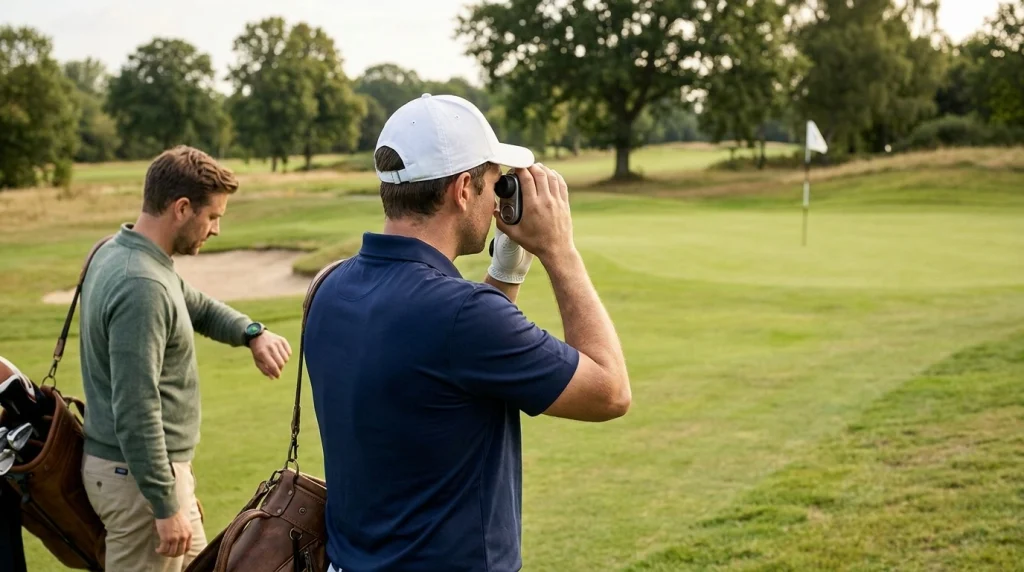
Laser rangefinders calculate distance using reflected light, while GPS rangefinders use satellite positioning and mapped course coordinates. Both can help you select a target, but they gather and present distance information differently.
How laser rangefinders work
A laser model sends a light pulse toward a target and measures how long the reflected signal takes to return. Its electronics use that travel time to calculate the distance.
Many golf models include a flag-lock or vibration feature that helps confirm when the device has identified the flagstick. This matters when trees, spectators, or other objects sit behind the green.
How GPS rangefinders work
A GPS model determines its location using satellite signals and compares that position with stored golf-course mapping data. It can then display distances to mapped features without requiring a direct line of sight to each target.
The quality of the result depends on positioning accuracy, course-map data, and the features supported by the device. A misplaced pin location or incomplete course map can make a reading less useful.
Laser versus GPS: what each measures
| Measurement | Laser rangefinder | GPS rangefinder |
|---|---|---|
| Flagstick distance | Measures the targeted flag directly when locked successfully. | May show a mapped pin position or green-center distance, depending on the model. |
| Green distances | Requires aiming at visible points on the green. | Often provides front, middle, and back yardages. |
| Bunker and water | Can measure visible hazard edges or selected landmarks. | Can show mapped hazard distances when the course data supports them. |
| Line of sight | Generally needs a clear path to the target. | Doesn’t require aiming directly at each mapped feature. |
| Elevation-adjusted distance | Available on compatible slope-enabled models. | Available on certain models with elevation data and compatible software. |
Neither technology automatically tells you the perfect club or guarantees the same result for every golfer. A laser is particularly useful for targeting a visible flag, while GPS can make it easier to compare several mapped course features quickly.
Section Takeaway: Laser measures a selected physical target, while GPS calculates distances to mapped course locations. Choose based on the information you need most often.
Which Targets and Yardages Can You Measure?
A golf rangefinder can help you measure more than the distance to the flag. The most useful target depends on the shot you’re planning and the hazards or landing areas around you.
Flagstick and green distances
The flagstick measurement is often the first number golfers check when approaching a green. However, the flag’s position changes between hole locations, so a fixed green-center yardage may differ from the actual pin distance.
For example, a GPS unit might show 150 yards to the green’s center while the flag sits closer to the front or back. A laser can measure the flag directly if you have a clear view and successfully acquire the target.
Bunkers, water, and other hazards
Hazard distances help you decide whether to carry an obstacle or play short of it. A visible bunker edge can be measured with a laser, while GPS units may show mapped distances to the front or back of a hazard.
- Carry distance: How far must the ball fly to clear the obstacle?
- Lay-up distance: How far should you hit to stop before a hazard or reach a preferred landing area?
- Landing-zone distance: How far is a fairway section or visible landmark from your position?
Check which edge your reading refers to. A distance to the near edge of water is not the same as the distance required to carry the entire hazard.
Shot distance between positions
Some GPS watches, handheld units, and golf apps record your starting and ending positions to estimate shot distance. This feature can help you build a more useful picture of your club distances over time.
A recorded shot distance doesn’t automatically equal carry distance. If the ball rolls after landing, a measurement taken at its final resting place includes that roll unless the device separately tracks the landing point.
Distance units and displays
Most golf rangefinders let you switch between yards and meters. Check the unit setting before playing, especially if you have changed devices or traveled to a course that uses different conventions.
For a golfer who usually thinks in yards, a reading of 137 meters could be confusing if the display setting goes unnoticed. Confirming the units prevents an avoidable club-selection mistake.
Section Takeaway: Measure the target that answers your next shot question, whether that’s the flag, a hazard edge, or a safe landing area. Always verify the reference point and measurement units.

Does a Rangefinder Measure Slope, Wind, or Actual Playing Distance?
A standard rangefinder measures distance, but some advanced models also estimate how elevation changes affect a shot. These extra features don’t mean the device measures every factor that influences ball flight.
What slope measurement means
Slope refers to the uphill or downhill angle between your position and the target. A slope-enabled rangefinder uses elevation information to calculate an adjusted playing-distance estimate, often labeled as a slope or compensation reading.
Imagine the flag measures 160 yards away on an uphill approach. A compatible model might display a playing estimate longer than 160 yards because the elevation change can make the shot play longer.
The adjusted figure is an estimate, not a physical measurement of extra ground distance. Its usefulness depends on the elevation change and the model’s calculation method.
Does a rangefinder measure wind speed?
A typical golf rangefinder doesn’t directly measure wind speed or reliably predict its effect on a golf ball. Wind meters and weather tools provide different information, and some advanced devices offer additional environmental functions.
A headwind may make a shot play longer, while a tailwind may help the ball travel farther. The rangefinder’s ordinary distance reading doesn’t automatically account for either effect.
What does a plays-like distance mean?
Plays-like distance is an adjusted estimate intended to help golfers understand how a shot may play under selected conditions. Depending on the device, the calculation may incorporate elevation changes or other supported inputs.
It is important to separate three concepts:
- Measured distance: The physical distance to a selected target.
- Elevation-adjusted distance: An estimate that accounts for uphill or downhill terrain.
- Shot outcome: How far the ball actually travels through the air and along the ground.
These values can differ substantially. Your club, strike quality, launch, weather, and landing conditions all influence the final result.
Can you use slope mode in a golf competition?
Under Rule 4.3a of the Rules of Golf, distance-measuring devices are generally permitted unless a committee adopts a Local Rule prohibiting them. However, players must not access prohibited features such as slope-adjusted distances during a round played under the Rules.
The USGA’s distance-measuring device guidance explains restrictions on slope, wind measurement, and club recommendations. Check the competition conditions before playing, and use a compliant mode when required.
A device may include a slope switch, but simply switching off one feature doesn’t automatically settle every rules question. Confirm that the device and its displayed functions meet the applicable competition requirements.
Section Takeaway: Ordinary yardage, slope compensation, and wind information are different things. Know which number your device displays and whether competition rules permit you to access it.
How Accurate Are Golf Rangefinders, and How Should You Read Them?
Golf rangefinder accuracy depends on the technology, model, target, setup, and surrounding conditions. A displayed number is most useful when you understand what the device measured and whether it acquired the intended target.
What affects laser accuracy?
Laser performance varies by model, so avoid assuming every device has the same accuracy specification. Manufacturer documentation is the best place to check a particular rangefinder’s stated measurement tolerance.
Common practical factors include:
- Target acquisition: The laser must lock onto the intended object rather than something behind it.
- Hand movement: A shaky hold can make it harder to target a narrow flagstick.
- Visibility: Fog, heavy rain, and poor contrast may make targeting more difficult.
- Target surface: Reflectivity and the object’s size can affect how easily the device receives a return signal.
- Line of sight: Trees, buildings, and other obstacles can prevent a clean measurement.
When a reading looks suspicious, aim again and compare the result with another known reference. A flag-lock indicator or vibration can help, but it doesn’t replace sensible target verification.
What affects GPS accuracy?
GPS accuracy depends on satellite reception, positioning conditions, course-map quality, and the way a device identifies each feature. Trees, buildings, and other obstructions can affect satellite signals, while outdated mapping can misrepresent a hazard or green location.
Some GPS products also let golfers move a virtual pin to match the day’s hole location. That can improve the usefulness of the displayed pin distance, provided the golfer positions the marker correctly.
How should you interpret a yardage reading?
Start by identifying the exact target and measurement type. Then consider whether the number is a direct distance, a mapped yardage, or an adjusted playing estimate.
For example, suppose a laser reads 142 yards to the flag while your GPS shows 137 yards to the green center. These readings aren’t automatically contradictory because the flag and green center are different targets.
Likewise, a slope-adjusted estimate may differ from both figures. Check the display labels before deciding that your rangefinder is inaccurate.
Section Takeaway: Don’t judge a rangefinder by one isolated number. Verify the target, compare like-for-like measurements, and consult the manufacturer’s accuracy specifications.
How Should You Use Rangefinder Measurements on the Course?
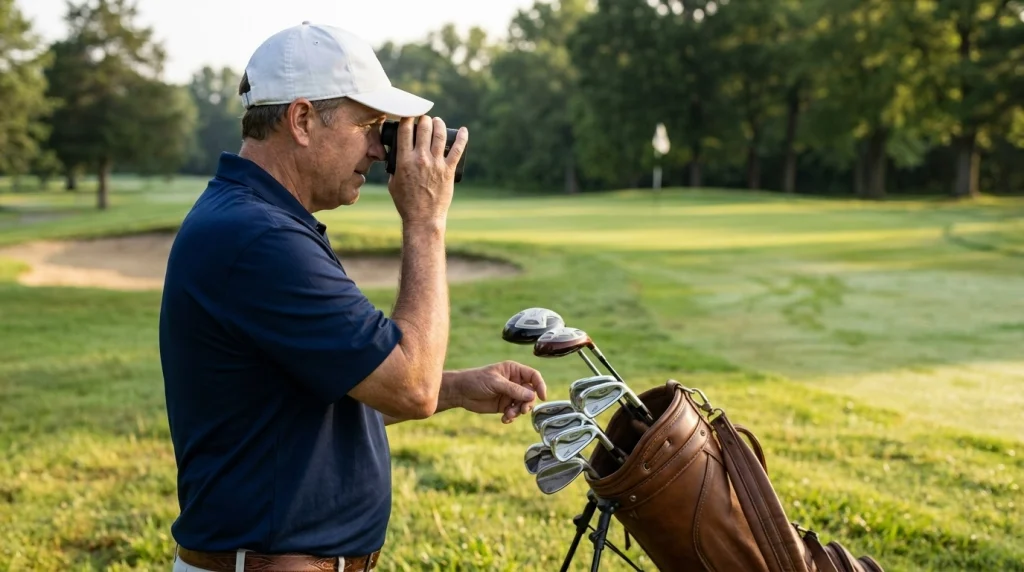
The best way to use a golf rangefinder is to turn distance information into a clear shot plan. The device supplies measurements; you still decide where to aim and which shot suits your abilities.
Follow a simple pre-shot routine
- Identify the target. Decide whether you need the flag distance, a hazard edge, or a safe landing area.
- Measure the distance. Aim at the target with a laser or select the relevant mapped feature on your GPS unit.
- Verify the reading. Check the flag lock, units, and display labels, then repeat the measurement if necessary.
- Assess the conditions. Consider elevation, wind, lie, and the shot shape you can comfortably produce.
- Choose the shot. Use your own club-distance knowledge to select an appropriate club and target.
This routine keeps the device useful without allowing a single yardage to dictate every decision. It also reduces the temptation to repeatedly measure the same target without gaining meaningful information.
Use your own club distances
A rangefinder cannot tell you how far you personally hit a 7-iron unless a separate, permitted feature provides relevant information. Your average carry distance is more useful for club selection than a generic yardage chart.
Keep a record of typical carry distances for your clubs, preferably based on consistent shots rather than your longest successful strike. Over time, you can compare your own distances with rangefinder readings and make more informed decisions.
Choose the right measurement for the shot
- Approach shot: Measure to the flag and consider the front and back of the green.
- Tee shot: Check the distance to hazards and your preferred landing area.
- Lay-up: Measure to a safe target before selecting a conservative club.
- Blind approach: Use suitable GPS mapping or course markers when a laser cannot see the target.
- Practice round: Record shot distances when your device supports tracking, then review the data after play.
For more on the rules governing distance tools, consult the R&A’s Rule 4 guidance. It helps clarify the equipment rules that apply when using measuring devices during a round.
For broader equipment and playing guidance, the PGA’s official website is another useful starting point for golfers who want to develop their course-management skills.
Section Takeaway: Measure deliberately, confirm the target, and combine the reading with your own club distances. Good course management matters more than collecting extra numbers.
Golf Rangefinder Measurement FAQs
1. Does a golf rangefinder measure distance to the ball or the hole?
A golf rangefinder measures from its current position to the target you select. If you aim at the flagstick, it measures the distance to the flag; if you target a bunker edge, it measures that feature instead. The result depends on the target and device.
2. Can a golf rangefinder measure how far I hit my shot?
Some GPS devices and golf apps estimate shot distance by recording the starting and ending positions. This measurement usually includes roll if you record the ball’s final resting place. It represents carry distance only when the device tracks the landing point appropriately.
3. Does a golf rangefinder measure the slope of the green?
Some rangefinders measure elevation differences between your position and a target, but that is not the same as reading the putting surface’s contours. Green-reading functions and slope-based advice can also raise competition-rule concerns, so check your device and the applicable rules.
4. Why does my laser rangefinder show a different number from my GPS watch?
The devices may measure different targets or use different reference data. A laser might target the flagstick while your GPS watch displays the green center. Pin placement, satellite positioning, course mapping, and target acquisition can also contribute to differences.
5. Can a rangefinder tell me which golf club to use?
A standard rangefinder provides distance rather than a personalized club recommendation. You can compare its reading with your known carry distances and account for course conditions. Some devices offer automatic club suggestions, but these features may be restricted during competition under the Rules of Golf.
6. Are slope rangefinders legal in golf tournaments?
Distance-measuring devices are generally allowed under Rule 4.3a unless a committee adopts a Local Rule prohibiting them. However, accessing slope-adjusted playing distances during a round can breach the Rules. Check the event’s conditions and the device’s permitted settings before competing.
7. Is a laser or GPS rangefinder better for measuring course distances?
A laser is useful when you want a direct measurement to a visible flagstick, bunker, or landmark. GPS is convenient for comparing mapped front, center, back, and hazard distances. Your preferred approach, course conditions, and desired features should guide the choice.
Final Takeaway: Measure the Right Thing
A golf rangefinder measures distance to a selected physical or mapped target, depending on its technology. Advanced models may also provide elevation-adjusted estimates or shot-tracking features, but these are distinct from ordinary distance measurements.
My recommendation is to focus on three habits: identify the target, verify the displayed measurement, and match the number to your own club distances. That approach makes a rangefinder a practical course-management tool rather than just another gadget in your golf bag.
Before buying, compare laser and GPS capabilities, confirm the features you will genuinely use, and check competition rules if you plan to play in organized events. The most useful rangefinder is the one that gives you clear, relevant information when you need to make your next shot decision.
Editorial note: Device capabilities vary by model. Check manufacturer specifications and the current competition conditions before relying on specialized measurement features.