
How Does a GPS Golf Rangefinder Work?

Quick Answer
A GPS golf rangefinder uses satellite signals to determine your location on the course, then compares it with stored digital course maps to calculate distances to the green, bunkers, water hazards, and other mapped targets. Unlike a laser rangefinder, it doesn’t require you to aim at the flagstick. You can see front, middle, and back green distances almost immediately, although accuracy depends on satellite reception and the quality of the course map.
How it gets your yardage
- Satellite signals: The receiver calculates your position using signals from multiple navigation satellites.
- Course mapping: Digital maps identify the green, hazards, and other important course features.
- Distance calculation: The device calculates the distance between your location and selected mapped points.
- Yardage display: A watch, handheld unit, or golf app presents the distances in yards or meters.
- Club selection: You use the displayed yardage, your typical carry distance, and course conditions to choose a club.
One important limitation
- Mapped distance isn’t always flag distance: GPS commonly reports front, middle, and back green yardages rather than an exact measurement to the flagstick.
- Verify your target: Check the pin position, course markers, and any available green-view or hazard-distance features before choosing your shot.
A GPS golf rangefinder can make course management much easier, whether you’re learning to judge approach shots or trying to avoid a bunker that guards the green. I’ll explain how the technology turns satellite signals into useful yardages, what affects its accuracy, and how it compares with a laser device.
In This Guide
- What is a GPS golf rangefinder?
- How does a GPS golf rangefinder calculate distance?
- What distances and features can it show?
- How accurate are GPS golf rangefinders?
- GPS vs. laser golf rangefinders: What’s the difference?
- How do you get the best results from a GPS rangefinder?
- Frequently asked questions
What Is a GPS Golf Rangefinder?
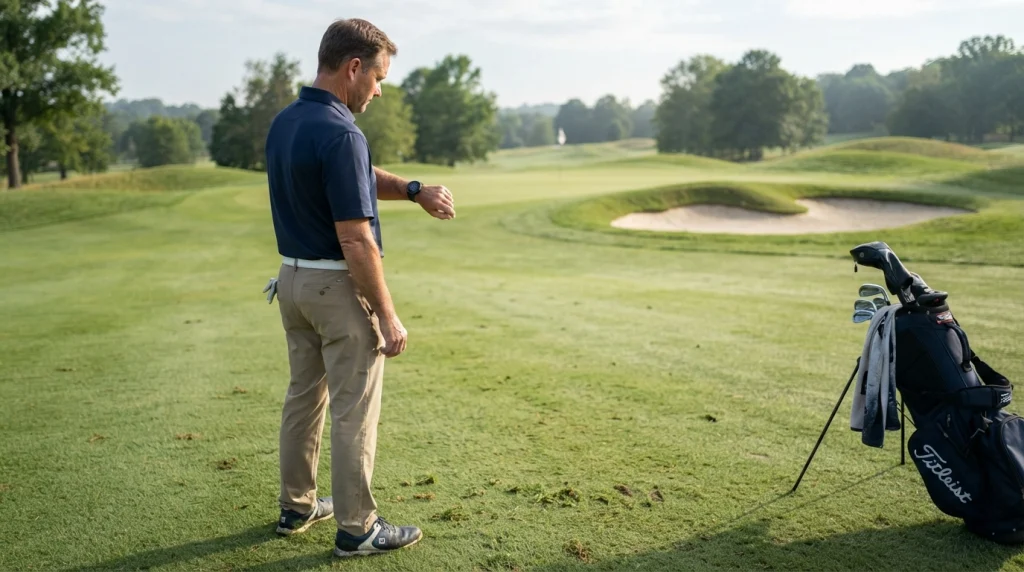
A GPS golf rangefinder is a distance-measuring device that combines satellite positioning with digital golf course maps to display yardages from your location to important course features. GPS stands for Global Positioning System, a satellite-based navigation system originally developed by the United States government.
Unlike a traditional laser unit, a GPS device usually calculates distances to mapped locations rather than measuring the distance to a physical object you target through a lens.
What makes a golf GPS different from ordinary GPS?
A regular navigation app focuses on roads, addresses, and routes. A golf GPS focuses on playing features such as green boundaries, fairway landing areas, bunkers, and water hazards.
Many golf devices store course maps internally or download them through a companion app. Once the correct course loads, the software matches your position to the mapped layout and calculates relevant distances.
- GPS golf watches: Display yardages on your wrist while you prepare for a shot.
- Handheld GPS units: Offer a larger screen for reviewing greens and hazards.
- Golf GPS apps: Use a compatible smartphone’s positioning hardware and course-mapping software.
- GPS-enabled golf carts: Show distances on a mounted screen, depending on the cart system and course setup.
The underlying principle stays similar across these formats. The main differences involve the display, controls, mapping features, battery life, and how easily you can check a yardage while playing.
GPS positioning versus course mapping
These are two separate parts of the process. Satellite positioning estimates where you are, while course mapping tells the device where the green and other targets are located.
That distinction matters. A device may determine your location correctly but still show an unhelpful target distance if its map is outdated or the selected course feature is incorrectly mapped.
For the underlying satellite technology, Garmin’s GPS explainer provides a useful overview of satellite signals and position calculations.
Section Takeaway: A golf GPS doesn’t need to see the flagstick because it calculates distance from your estimated position to known points on a digital course map.
How Does a GPS Golf Rangefinder Calculate Distance?
A GPS golf rangefinder determines your location from satellite signals, compares that location with mapped course targets, and calculates the distance between them. The device then converts the result into a readable yardage or meter measurement.
Here’s how the process works from the moment you turn on your device to the moment you choose a club.
Step 1: The receiver picks up satellite signals
GPS satellites continuously transmit signals containing timing information and orbital data. Your receiver uses signals from multiple satellites to work out its position on Earth.
The receiver estimates how far away each satellite is by measuring the signal’s travel time. It combines those measurements to calculate your coordinates, typically including latitude, longitude, and elevation information of varying precision.
Step 2: The device identifies your position on the course
Once the receiver calculates your location, the device associates it with the golf course you’re playing. Some units detect nearby mapped courses, while others ask you to select the course manually.
For example, imagine your ball rests on the right side of a fairway. The device uses your current coordinates to estimate where you stand relative to the green, rather than assuming you’re at the center of the fairway.
Step 3: The software looks up mapped targets
The digital course map contains coordinates for specific features. Depending on the device and map, these may include the front, center, and back of each green, as well as bunkers and water hazards.
The device compares your current position with the stored coordinates of the selected feature. It can then calculate the distance without requiring a laser beam or a direct line of sight to that feature.
Step 4: The device converts distance into yardage
The software calculates the geographic distance between your estimated position and the target point. It converts that measurement into the unit you selected, such as yards or meters.
For a simple example, suppose the display shows 150 yards to the middle of the green and 138 yards to the front. Those numbers describe two different target points, not two competing estimates of the same point.
Step 5: You use the yardage to plan the shot
The displayed distance gives you a starting point for club selection. You still need to consider your own carry distances, the wind, the lie, the elevation, and the position of hazards.
If you usually carry a 7-iron 145 yards, a middle-green reading of 150 yards may suggest that club or another option, depending on conditions. The device provides distance information; your judgment determines the shot.
Section Takeaway: GPS yardage depends on two things working together: an accurate position estimate and a reliable map of the target.
What Distances and Features Can a GPS Golf Rangefinder Show?
A GPS golf rangefinder can show more than the distance to the center of the green. Depending on the device and course map, it can also provide distances to green edges, hazards, layup points, and other useful targets.
These features help you plan a shot around the course instead of simply choosing a club based on the total hole length.
Front, middle, and back green distances
Most golf GPS devices display three important green measurements. Each refers to a different part of the putting surface.
- Front: The distance to the front edge of the green.
- Middle: The distance to the mapped center of the green.
- Back: The distance to the back edge of the green.
Suppose your screen shows 142 yards to the front, 155 to the middle, and 168 to the back. That 26-yard spread tells you something about the depth of the green and how much room you have to work with.
If the flag sits near the front, aiming at the middle could leave a longer putt than necessary. If a bunker protects the front, however, carrying the hazard may matter more than chasing the shortest number.
Distances to bunkers and water hazards
Many golf GPS devices map hazards and display their distances from your current position. Some show the nearest edge, the far edge, or multiple points along a hazard, depending on the mapping data.
These readings help you decide whether to carry a hazard or play short of it. For instance, knowing that water begins 185 yards ahead can help you choose a layup distance that keeps your next shot comfortable.
Always check what a displayed hazard number represents. A distance to the near edge isn’t interchangeable with a distance to the far edge or the point where you want your ball to land.
Other useful GPS features
Depending on the model, you may also find these features:
- Green view: A graphic showing the shape of the putting surface, sometimes with a movable pin position.
- Layup distances: Yardages to selected points in the fairway.
- Shot tracking: Tools that record shot locations and help analyze performance.
- Scorekeeping: A way to record scores directly on a watch or handheld unit.
- Plays-like distance: An adjusted yardage that accounts for certain factors, such as elevation, when the device supports that function.
Not every device includes every feature, and some functions may require a compatible smartphone or subscription. Check the manufacturer’s specifications before assuming a particular model supports them.
For golfers who want a clearer view of the technology, Garmin’s golf distance-measurement overview explains the difference between GPS and laser devices.
Section Takeaway: Front, middle, and back yardages provide the basic picture, while hazard and layup distances help you manage risk and plan your next shot.
How Accurate Are GPS Golf Rangefinders?
GPS golf rangefinders can provide useful yardages for everyday play, but their accuracy depends on satellite reception, device quality, and the course map. They should not be treated as perfect measurements of the flag’s exact location.
It’s helpful to separate positioning accuracy from target accuracy. Your device may locate you correctly while still showing a slightly different distance because the target coordinate or green boundary isn’t mapped exactly where you expect.
What affects GPS accuracy?
- Satellite reception: Buildings, dense tree cover, steep terrain, and other obstructions can interfere with signals or reduce positioning quality.
- Course-map quality: Incorrect or outdated target coordinates can lead to misleading distances even when the receiver works properly.
- Device hardware: Receiver design and the satellite systems supported can influence positioning performance.
- Target selection: The front, center, back, and flag are different points, so their distances naturally differ.
- Pin position: A fixed green-center coordinate cannot reveal the day’s exact flag position unless the device provides suitable pin-location information.
GPS signals also require time to acquire after startup. Some devices can use stored assistance data or previously acquired satellite information to speed up positioning, so startup behavior varies by model.
Does GPS measure the actual playing distance?
Not necessarily. A standard GPS yardage usually represents geographic distance to a mapped target, rather than the distance your golf ball will travel or the complete distance along the ground’s contours.
Consider a target on an elevated green. A horizontal distance of 150 yards doesn’t automatically mean the shot will play like a flat 150-yard shot, because elevation can change the club and trajectory you need.
Wind, temperature, lie quality, and ball flight also affect shot results. A basic GPS reading does not independently account for all those conditions.
How can you check a questionable reading?
If a yardage seems unusual, take a few simple steps before committing to your shot.
- Confirm that the device has loaded the correct course and hole.
- Check whether the reading refers to the front, middle, back, or a hazard edge.
- Compare it with marked sprinkler heads, course signage, or a reliable yardage book.
- Move into a more open area if satellite reception appears poor.
- Check whether the course map or pin-position setting needs updating.
As of 2026, GPS remains a practical way to obtain course distances without aiming at individual targets. Still, the exact accuracy specification varies by device, and manufacturer claims should be checked against the particular model’s documentation.
Section Takeaway: Trust GPS as a useful yardage reference, but confirm the target and map whenever a reading conflicts with the course in front of you.
GPS vs. Laser Golf Rangefinders: What’s the Difference?
A GPS golf rangefinder calculates distances using satellite positioning and mapped course features, while a laser rangefinder measures the distance to a specific target using reflected laser light. Both can help with club selection, but they answer slightly different questions.
GPS is convenient for checking several mapped targets quickly. Laser is especially useful when you want to measure the distance to the actual flagstick or another visible object.
GPS vs. laser: Key differences
| Feature | GPS rangefinder | Laser rangefinder |
|---|---|---|
| How it measures | Satellite position plus mapped target coordinates | Time taken for laser light to return from a target |
| Aiming required | No direct aiming at the target | Yes, you aim at the target |
| Flagstick distance | Usually estimated from mapped green data unless pin-position features are available | Measures the flagstick directly when successfully targeted |
| Hazard distances | Available for mapped hazards | Available for visible hazards that can be targeted |
| Line of sight | Doesn’t need a clear view of the target, although satellite reception matters | Requires a usable line of sight to the target |
| Typical strength | Quick overview of several course distances | Specific distance to a selected physical target |
| Main limitation | Depends on positioning and map quality | Needs aiming and a visible target |
Which type is better for your game?
A GPS unit is a strong choice if you like to see the whole hole, compare several targets, and check yardages without repeatedly aiming a device. It’s also convenient when a dogleg or raised green hides the target from view.
A laser rangefinder suits golfers who prefer measuring directly to the flagstick or a specific visible feature. It can be particularly useful when the pin sits near the front or back of a green and the exact distance matters to your decision.
Some golfers carry both. GPS provides the broad course picture, while laser supplies a direct measurement when the flag is visible.
Section Takeaway: Choose GPS for mapped course awareness and quick target comparisons; choose laser for direct measurements to visible objects.
How Do You Get the Best Results From a GPS Rangefinder?
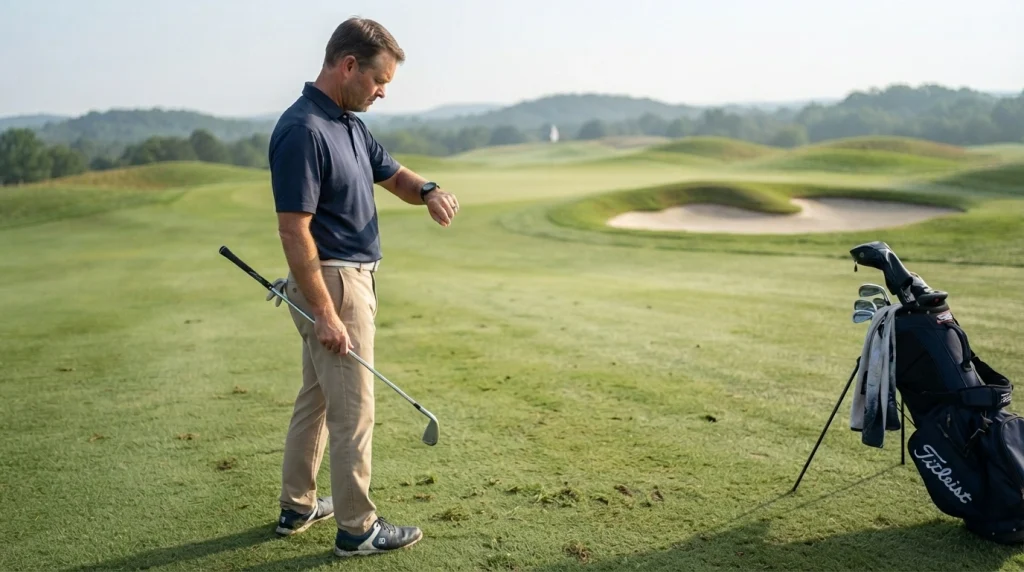
You get the most useful information from a GPS rangefinder when the correct course is loaded, satellite reception is stable, and you understand exactly what each displayed distance represents. A few simple habits can make the yardages easier to use throughout a round.
Prepare before your round
- Charge the device: Start with enough battery for your expected round and any additional features you plan to use.
- Load the correct course: Check the course name and hole before relying on the displayed numbers.
- Update course maps: Install available map updates when the manufacturer provides them.
- Allow positioning time: Turn the device on early enough to acquire satellite signals.
- Check your units: Make sure the screen displays yards or meters as you prefer.
Use yardages to plan, not dictate, shots
The middle of the green is a useful reference, but it isn’t automatically the best target. You need to account for the hole’s shape, hazards, your carry distance, and where a miss is likely to leave you.
Imagine a par-4 approach with 145 yards to the front, 158 to the middle, and 171 to the back. If a deep bunker guards the front and your usual carry is 150 yards, aiming at the middle may make more sense than choosing a club solely for the shortest number.
That decision still depends on the lie, wind, elevation, and your current swing. GPS provides the measurements; it doesn’t know how well you’ll strike the next shot.
Understand slope and adjusted distances
Some GPS devices offer elevation data or a plays-like yardage. These features estimate how a shot may play differently from its raw distance, but their methods and available inputs vary.
Do not assume that every GPS rangefinder measures slope or provides adjusted yardages. Check the product’s specifications, and remember that adjusted distance is an estimate rather than a guarantee of the shot’s outcome.
There is also an important distinction between owning a feature and using it during competition. Under the Rules of Golf, distance-measuring devices are generally permitted unless a Committee adopts a Local Rule prohibiting them, but using prohibited elevation-measuring or slope functions during a stipulated round can breach Rule 4.3a.
Before a competition, review the event’s conditions and the R&A guidance on distance-measuring devices. The USGA’s explanation of distance-measuring device rules also outlines the general approach.
Build a reliable club-selection routine
Use the same basic sequence before approach shots so you don’t overlook important details.
- Read the front, middle, and back yardages.
- Check hazards and identify a sensible landing area.
- Consider your normal carry distance for the available clubs.
- Adjust your decision for wind, elevation, and lie conditions.
- Choose a target that matches your abilities and the risk involved.
Over several rounds, compare your choices with your actual results. You’ll develop a better understanding of which yardages and targets help you manage your game.
Section Takeaway: Accurate positioning is only the starting point; good course management comes from combining GPS yardages with your own distances, conditions, and strategy.
Frequently Asked Questions About GPS Golf Rangefinders
1. Does a GPS golf rangefinder need an internet connection?
No, many dedicated GPS golf rangefinders work without a live internet connection once they have the required course maps. However, some devices and golf apps need internet access to download maps, update course information, synchronize data, or access connected features.
2. Does a GPS golf rangefinder work under trees?
Usually, yes, but dense tree cover can interfere with satellite reception and affect positioning accuracy. Unlike a laser rangefinder, GPS doesn’t need a clear line of sight to the green, although it still needs adequate satellite signals to estimate your location reliably.
3. Can a GPS golf rangefinder tell me the exact distance to the flag?
Not always. Most basic GPS devices display distances to mapped points on the green, such as the front, middle, and back. Some models offer movable pin positions or additional green-mapping features, but an ordinary center-green reading isn’t necessarily the exact flagstick distance.
4. Is GPS more accurate than a laser golf rangefinder?
Neither technology is universally more accurate for every task. GPS calculates distances to mapped coordinates, while laser measures the distance to a visible target. A laser is useful for the exact flagstick location, whereas GPS offers convenient yardages to several mapped course features.
5. Does a GPS golf rangefinder work on every golf course?
It works on courses supported by the device’s mapping system, provided it can acquire suitable satellite signals. If a course is missing from the database or its map is incomplete, you may need to download an update or use another distance-measuring method.
6. Can a GPS golf rangefinder calculate slope-adjusted yardage?
Some models can estimate plays-like distance by accounting for elevation changes, but not all GPS rangefinders include this feature. Competition rules also matter: under Rule 4.3a, using a device to measure elevation changes or access prohibited slope functions during a stipulated round can result in a penalty.
7. Are GPS golf rangefinders allowed in tournaments?
Distance-measuring devices are generally allowed under the Rules of Golf unless the Committee adopts a Local Rule prohibiting them. Players must also avoid prohibited functions, including measuring elevation changes or using certain shot recommendations, during a stipulated round. Always check the competition’s specific conditions.
Final Takeaway: Understanding GPS Golf Rangefinders
A GPS golf rangefinder works by calculating your position from satellite signals and comparing it with a digital map of the course. It then displays distances to mapped targets, helping you plan approaches, avoid hazards, and choose sensible landing areas.
Its biggest advantage is convenience: you can check several yardages without aiming at every target. Its main limitation is that mapped distances depend on positioning quality and course-map accuracy, and they don’t always represent the exact distance to the flag.
If you’re choosing a rangefinder, think about how you play. A GPS watch or handheld unit is useful for quick course-wide information, while a laser rangefinder is better suited to measuring specific visible targets.
The best tool is the one that helps you make clearer decisions without slowing down your routine. Learn what its numbers represent, verify questionable readings, and use those measurements alongside your own club distances and judgment.